Disclosure: topratedkitchenware.com is reader-supported. When you buy through links on our site, we may earn an affiliate commission from Amazon and other retailers, at no extra cost to you.
Where to buy
The six models below are the verified picks for this guide to best microwaves at not interupting wireless connection. Each name links to its Amazon listing, where you can check the latest price on Amazon, confirm the current configuration, and read the newest owner feedback before you decide.
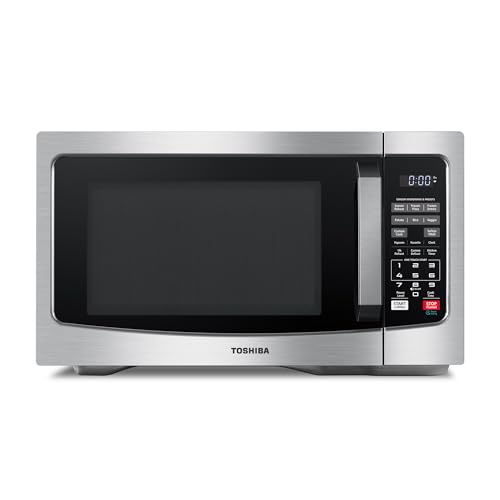
- TOSHIBA Countertop Microwave Oven, 1.2 Cu.Ft, 1000W, Stainless Steel
- Chefman Countertop Microwave Oven 0.7 Cu. Ft., 700 Watts – Black
- BLACK+DECKER Countertop Microwave Oven, 0.9 Cu.Ft, 900W, Stainless Steel
- TOSHIBA Microwave Oven, 0.9 Cu.Ft, 900W, Black Stainless Steel
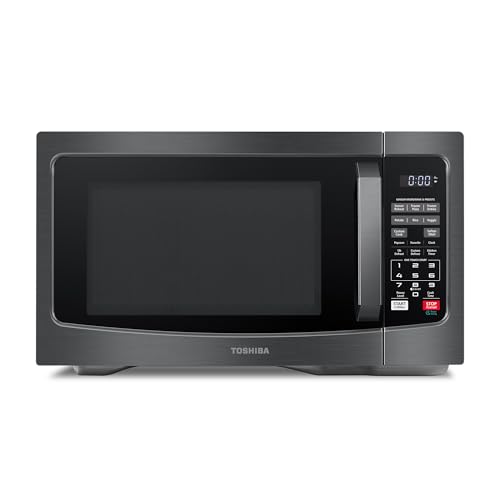
- TOSHIBA Countertop Microwave Oven, 1.2 Cu.Ft, 1000W, Black
- COMFEE’ Countertop Microwave Oven, 0.7 Cu.Ft, 700W, Black, ECO Mode
Read the full guide ↓ for the honest physics of microwave and Wi-Fi interference, what actually fixes it — distance, band choice, and router placement — and how these six verified models rank on the factors that genuinely matter.
It is one of modern life’s most irritating coincidences: the video call freezes at the exact moment someone reheats lunch, and the search best microwaves at not interupting wireless connection — spelling and all — is typed by someone who has lived that freeze once too often. The coincidence has a physical cause. Microwave ovens heat food with radio energy at a frequency around 2.45 gigahertz, and the older, crowded 2.4 GHz Wi-Fi band lives at almost exactly the same address. A microwave is a powerful radio transmitter sealed inside a metal box with a screened door, and while the sealing is excellent and regulated, no household seal is perfect — a small amount of energy escapes, and a Wi-Fi signal trying to whisper through the same spectrum, from a router two rooms away, can lose the argument for the two minutes the oven runs. The result is not a broken internet; it is a temporary, localised shouting match that your call, your stream, or your game happens to be standing in the middle of.
This guide begins with the honesty the topic deserves: no microwave can promise zero interference, and any guide that ranks models by some secret shielding score is inventing it. What actually decides your experience, in order, is which Wi-Fi band your important devices use, how far the router and your devices sit from the oven, and the condition of the oven’s door seal — with the oven’s own characteristics a real but fourth-place factor. Within that honest frame, model choice still matters at the margins, and the six verified picks below were ranked by the margins that are real: lower-output models put less total energy into the room per cycle; compact models are easier to place at a sensible distance from a desk or router; and modern, well-built doors with intact seals are the baseline everything else stands on. The guide then spends most of its length where the problem is actually solved — a full mitigation playbook covering band strategy, router placement, mesh and wired options, and door-seal care — because the reader who typed this search does not ultimately want a microwave. They want their call to stop freezing, and this guide treats that as the assignment. Readers whose kitchens and offices share one small room will find the placement discipline in Best Microwaves At Target a useful companion, since small-space placement is half of this problem too.
Key Takeaways
- Microwaves and 2.4 GHz Wi-Fi share spectrum around 2.45 GHz; interference is real, temporary, and worst close to the running oven.
- The decisive fix is the 5 GHz band: it does not overlap the oven’s frequency at all, and most modern routers and devices already support it.
- Distance is the second fix — every metre between the oven and your router or desk weakens the interference sharply.
- No model can honestly promise zero interference; be suspicious of any “Wi-Fi-proof microwave” claim, from anyone.
- Model choice matters at the margins: lower wattage, compact placement flexibility, and a sound door seal are the real factors.
- A damaged, warped, or dirty door seal is the one oven fault that genuinely worsens leakage — clean it, and never run an oven with a door that does not close fully.
- Work the playbook in order — band, distance, wiring, channel, seal, and only then the oven itself; most households solve the freeze by step two.
In this guide
Quick Picks
| Pick | Badge | Power | Capacity | Why it earns its place |
|---|---|---|---|---|
| TOSHIBA 1.2 Cu.Ft Stainless Steel | Best Overall | 1000W | 1.2 cu ft | Modern sensor family machine with mute and ECO for the main kitchen |
| Chefman 0.7 Cu. Ft. | Best Low-Output Compact | 700W | 0.7 cu ft | Least energy per cycle, smallest footprint for distance-friendly placement |
| BLACK+DECKER 0.9 Cu.Ft | Best Simple Classic | 900W | 0.9 cu ft | Push-button door and standard build for a straightforward replacement |
| TOSHIBA 0.9 Cu.Ft Black Stainless | Best Compact All-Rounder | 900W | 0.9 cu ft | Mute, LED light, and a dinner-plate turntable in a placeable cabinet |
| TOSHIBA 1.2 Cu.Ft Black | Most Versatile | 1000W | 1.2 cu ft | Sensor and 12 menus for the household that cooks, not just reheats |
| COMFEE’ 0.7 Cu.Ft ECO | Best for Dorms and Desks | 700W | 0.7 cu ft | Low output, sound control, and ECO mode for shared small spaces |
How These Picks Were Chosen
This is a research-led guide built from verified Amazon listings; every specification in the spec boxes comes from that verified data, and no shielding measurements are claimed for any model, because consumer microwaves are not sold with comparative leakage scores and this guide will not invent them. All ovens sold for home use must meet strict regulatory leakage limits, and every pick here is a current, mainstream model from an established maker — that baseline is the real safety and interference floor, and it is shared by the whole list.
Within that baseline, the ranking used the three factors a buyer can actually choose. Output class: lower-wattage models cycle less total energy into the room, so the two 700-watt compacts were placed where interference-sensitive, small-space readers will find them, with the trade-off in cooking speed stated in their reviews. Placement flexibility: smaller cabinets can be sited further from desks and routers in real rooms, which matters more than any specification — a metre of distance outperforms a badge. And everyday completeness, because a microwave bought to solve a network problem still has to cook dinner: sensors, mutes, express keys, and cleanable interiors were scored as in every guide in this series. The result is a list that refuses the topic’s central gimmick — there is no “most shielded” badge here, deliberately — and instead pairs sensible machines with the mitigation playbook that follows the reviews, which is where this search is genuinely answered. Readers comparing installation formats will find the countertop-versus-built-in discussion in Best Microwaves Builtin, since a microwave’s placement options begin with its format.
The 6 Best Microwaves at Not Interupting Wireless Connection — Detailed Reviews

TOSHIBA Countertop Microwave Oven, 1.2 Cu.Ft, 1000W, Stainless Steel
Badge: Best Overall
Strengths
- The complete main-kitchen package — humidity sensor, 12 menus, mute, ECO — so the network fix never costs cooking quality
- Mid-size cabinet places naturally in a real kitchen, away from desks and routers
- Easy-clean interior keeps the door seal’s surroundings clean, which is part of seal hygiene
Trade-offs
- 1000W is mid-output: not the lowest-energy choice for a desk-adjacent kitchen
- No microwave removes interference entirely — the playbook below still applies
- Stainless finish needs the usual wiping habit
Mini spec box
- Power: 1000W
- Capacity: 1.2 cu ft
- Sensor: Smart humidity sensor
- Menus: 12 auto menus
- Features: Mute function, ECO mode, easy clean interior
- Finish: Stainless steel
Best Overall for this search goes to the machine that lets a household solve the interference problem on the network side — where it is actually solved — without compromising the kitchen side at all. This Toshiba reheats by sensor, offers the widest menu library here, silences itself for open-plan evenings, and sips standby power in ECO mode; it is, in short, the microwave a family would choose if the network question had never been asked, which is exactly the standard a network-motivated purchase should meet. Its output class is mid-range, and the review states the implication plainly: in a normal layout, with the router a room away and important devices on the 5 GHz band, its interference footprint is a non-event; in a studio where the desk touches the kitchen counter, the lower-output compacts below are the more considerate choice. Buy the kitchen you have, then run the playbook.
Best for: family kitchens with a normal layout and a dual-band router / Not suited for: desk-adjacent studio setups, where the compacts serve better

Chefman Countertop Microwave Oven 0.7 Cu. Ft., 700 Watts – Black
Badge: Best Low-Output Compact
Strengths
- 700W is the lowest output class here — the least total energy per cycle in the room
- Smallest footprint, so it can be placed at the far end of a counter from the desk
- Express cook shortens cycle times for the daily mug-and-bowl jobs
Trade-offs
- Slower cooking is the standing price of the low output
- 0.7 cu ft refuses larger dishes and some tall mugs
- Low output reduces, but does not eliminate, 2.4 GHz interference
Mini spec box
- Power: 700W
- Capacity: 0.7 cu ft
- Controls: 10 power levels, 6 cooking presets, one-touch express cook
- Features: Child safety lock, mute button
- Finish: Black
For the reader whose desk, router, and kitchen share one small room, this Chefman is the most defensible machine on the page — not because of any shielding claim, which this guide does not make, but because of arithmetic: it is the lowest-output model here, its cycles for the small jobs it exists for are short, and its cabinet is small enough to sit at the maximum distance a studio counter allows from the work setup. Interference is a function of energy, distance, and time, and this model is modest on all three for its intended workload. The price is the familiar one — frozen meals take longer, big dishes do not fit — and for a household whose microwave life is mugs and bowls beside a work-from-home desk, that price buys the quietest possible coexistence short of rewiring the room. Pair it with the 5 GHz discipline in the playbook and the frozen call becomes a memory.
Best for: studios and home offices where the desk shares air with the kitchen / Not suited for: family cooking or large-dish households
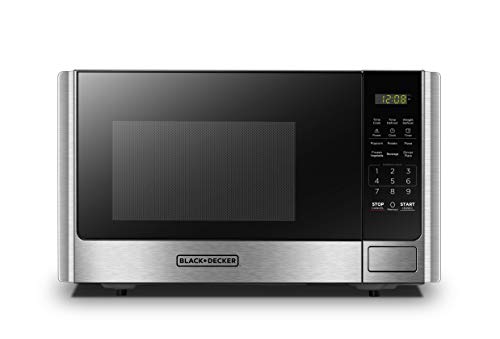
BLACK+DECKER Countertop Microwave Oven, 0.9 Cu.Ft, 900W, Stainless Steel
Badge: Best Simple Classic
Strengths
- The standard modern compact: current build, sound door design, calibration-range wattage
- Push-button door is easy to close fully and gently — good seal habits start with an easy door
- Six presets and ten power levels cover the everyday rotation without fuss
Trade-offs
- 900W mid-output — pair it with distance and the 5 GHz band, as with any model here
- No sensor and no mute in the verified feature list
- A replacement-grade classic, not a feature flagship
Mini spec box
- Power: 900W
- Capacity: 0.9 cu ft
- Controls: 10 power levels, 6 auto cook presets
- Door: Push-button
- Features: Child safety lock
- Finish: Stainless steel
There is a specific reader for whom this is the right answer: the one whose interference problem began when an elderly microwave’s door stopped sealing like it used to. Door seals and their mating surfaces are the whole leakage story in a home oven, and a modern replacement with a true-closing door restores the baseline that age and a thousand slams eroded. This BLACK+DECKER is that replacement in its most straightforward form — the standard size, the standard wattage, a push-button door that closes positively without force, and a panel with nothing to learn. It makes no network promises, and paired with the placement and band discipline below it does not need to: a sound modern oven, sensibly sited, on a network whose important devices live at 5 GHz, is the complete practical answer to this search for most homes. Its omissions — sensor, mute — are the classic’s usual ones, priced into its tier and stated here as everywhere in this series.
Best for: replacing an ageing oven whose door has seen better decades / Not suited for: buyers wanting sensor cooking or silent beeps

TOSHIBA Microwave Oven, 0.9 Cu.Ft, 900W, Black Stainless Steel
Badge: Best Compact All-Rounder
Strengths
- Compact cabinet with full-size manners: dinner-plate turntable, mute, LED light
- 900W standard output in a size that places flexibly in small kitchens
- Removable turntable keeps the cavity — and the door area — easy to keep clean
Trade-offs
- Six auto menus is the compact library
- Mid-output class: distance and band discipline still do the network work
- Black stainless finish is a style commitment
Mini spec box
- Power: 900W
- Capacity: 0.9 cu ft
- Turntable: 10.6 inch, removable
- Menus: 6 auto menus
- Features: Mute function, child lock, LED lighting
- Finish: Black stainless steel
The all-rounder for the interference-aware small kitchen: compact enough to site thoughtfully — the far counter, the end away from the router’s room — while remaining a complete microwave for a household of one to three, with the dinner plate accommodated, the beeps silenced, and the cavity lit and easy to wipe. That last point is more network-relevant than it sounds: the door seal’s effectiveness depends on the cleanliness of the surfaces it meets, and a machine designed to be wiped in a minute is a machine whose seal stays honest. No claim beyond that is made or needed. In the standard layout — this oven in the kitchen, the router sensibly placed, calls taken on 5 GHz — the household that buys it will simply stop having the problem that brought them to this page, which is the most any honest guide can promise and, in practice, exactly what happens.
Best for: small households wanting a complete compact they can site thoughtfully / Not suited for: large-dish or family-volume cooking

TOSHIBA Countertop Microwave Oven, 1.2 Cu.Ft, 1000W, Black
Badge: Most Versatile
Strengths
- Sensor cooking and 12 menus shorten guesswork cycles — food finishes when it is ready
- 12.4-inch turntable and easy-clean interior for family throughput
- Mute and ECO mode complete the open-plan, always-on household package
Trade-offs
- 1000W and a larger cabinet: the least placement-flexible of the family picks
- Versatility is cooking versatility; the network answer still comes from the playbook
- Black finish shows dust in a bright kitchen
Mini spec box
- Power: 1000W
- Capacity: 1.2 cu ft
- Turntable: 12.4 inch, removable
- Sensor: Smart humidity sensor
- Menus: 12 auto menus
- Features: Mute function, ECO mode, easy clean interior
- Finish: Black
The versatility pick earns a network-relevant footnote that is easy to miss: sensor cooking shortens effective interference windows, because a cycle that ends when the food is ready does not run the extra guessed minutes that timer cooking spends — and interference, remember, is energy multiplied by time. That is a marginal effect and this guide presents it as one, far below band choice and distance in importance. The machine’s main case is the one it makes everywhere: the widest guided cooking here, family dish room, quiet manners, and an interior that keeps the whole appliance — seals included — easy to maintain. For the household whose kitchen and network are in separate rooms, as most are, it is the most capable everyday choice in the list, and its interference story is simply the standard one: modern, sound, and solved by the router settings described below.
Best for: cooking-led families in standard layouts / Not suited for: the tightest desk-adjacent spaces


COMFEE’ Countertop Microwave Oven, 0.7 Cu.Ft, 700W, Black, ECO Mode
Badge: Best for Dorms and Desks
Strengths
- Lowest output class and tiny footprint — the dorm and desk-side specialist
- Sound on/off for shared rooms where the network and the neighbours both matter
- ECO mode suits a machine that idles beside a workstation all day
Trade-offs
- 700W cooking pace, with the usual time adjustments
- Mugs-and-bowls capacity only
- In a dorm, the neighbours’ ovens are also on your network’s spectrum — band discipline matters even more
Mini spec box
- Power: 700W
- Capacity: 0.7 cu ft
- Features: ECO mode, sound on/off, one-touch buttons, child safety lock
- Positioning: Dorm, apartment, office
- Finish: Black
The dorm and desk-side case is the interference problem in its purest form: one room, one network, one oven, and a student or remote worker whose classes and calls share the air with lunch. This COMFEE’ is built for that room — the lowest output class, the smallest cabinet, one-touch operation, full sound control, and an eco mode for the long idle hours beside a desk. Its honest limitation is also the room’s: in dense housing, your call competes not only with your oven but with every oven on the floor, which is why this guide’s playbook — above all the move to 5 GHz, where dorm and apartment networks increasingly live by default — matters more in this setting than any purchase. Buy this machine for its size and manners; fix the network with the network tools; and the smallest room in this guide becomes a workable one.
Best for: dorms, desk-side kitchens, and single-room living / Not suited for: family cooking of any kind

Comparison Table
| Model | Power | Capacity | Interference-relevant note | Link |
|---|---|---|---|---|
| TOSHIBA 1.2 Stainless | 1000W | 1.2 cu ft | Main-kitchen all-rounder; standard modern build | Check on Amazon |
| Chefman 0.7 | 700W | 0.7 cu ft | Lowest energy per cycle; easiest to place far from a desk | Check on Amazon |
| BLACK+DECKER 0.9 | 900W | 0.9 cu ft | Modern replacement for an ageing, tired-sealed oven | Check on Amazon |
| TOSHIBA 0.9 Black Stainless | 900W | 0.9 cu ft | Compact, flexible placement, easy-clean seal area | Check on Amazon |
| TOSHIBA 1.2 Black | 1000W | 1.2 cu ft | Sensor ends cycles on time — shorter running windows | Check on Amazon |
| COMFEE’ 0.7 ECO | 700W | 0.7 cu ft | Dorm specialist; low output beside the desk | Check on Amazon |
The Physics, Briefly: Why 2.4 GHz Suffers and 5 GHz Does Not
A microwave oven’s magnetron produces energy centred near 2.45 GHz, chosen because water absorbs it well. The 2.4 GHz Wi-Fi band occupies the spectrum immediately around it, divided into channels; the channels in the middle of the band sit closest to the oven’s energy and suffer most when an oven runs nearby. Wi-Fi at 5 GHz operates in an entirely different neighbourhood of spectrum, far above the oven’s frequency, and is therefore immune to this particular problem — not stronger in every way, since 5 GHz signals fade faster through walls, but categorically uninterfered with by lunch. This is why the band decision outranks every purchase decision in this guide: moving a laptop, phone, or calling device from the crowded band to the clear one does not reduce the interference, it leaves the room where the interference lives. Most routers sold in the last decade broadcast both bands, often under one network name with automatic steering; if your important devices are landing on the crowded band anyway, the router’s settings — a separate, clearly named 5 GHz network is the classic fix — are the first place to look, before a single appliance is replaced.
The Mitigation Playbook: Fixing the Freeze in Order of Impact
Work this list in order; most households stop needing it after step two. Step one: put the devices that matter — the work laptop, the phone that takes calls, the streaming box — on the 5 GHz band, and confirm they stay there. Step two: create distance. Move the router out of the kitchen if it lives there, and give the oven and the router every metre the home allows; interference falls away quickly with distance, and a router relocated from beside the oven to the next room is often the whole cure. Step three: if the router must serve a large or awkward home, use a mesh node or a wired connection for the desk that matters — a cable is the only interference-proof Wi-Fi ever made, and for a fixed workstation it is cheaper than any appliance. Step four: on the 2.4 GHz band that remains — smart bulbs, plugs, and other low-stakes devices — choose the channel furthest from the oven’s centre frequency, conventionally channel 1 or 11 rather than the middle channels, and let the smart-home traffic tolerate the oven’s two minutes in peace. Step five: care for the oven’s seal, as the next section describes. Step six, and only then: consider the oven itself, using the marginal factors this guide ranked — lower output for desk-adjacent rooms, a modern replacement for a tired old door. A household that works the list in order will almost never reach step six with the problem intact, and will usually find the cure cost nothing but ten minutes in a settings page.
Door Seal Care: The One Oven Habit That Actually Matters
The door of a microwave is an engineered radio seal: a metal screen in the glass, a precisely fitted frame, and choke structures around the rim that trap energy trying to escape at the edges. It works superbly when it is clean, straight, and fully closed, and it degrades in exactly the ways kitchens degrade things. Keep the seal and the frame it meets wiped clean — dried food splatter on the mating surfaces is the commonest home cause of a door that does not seat perfectly. Never slam the door, and teach the household the same; a warped door is a leaking door. Inspect occasionally: the door should close flush, latch positively, and show no damage to the screen or the frame. Never operate the oven with a damaged door, a door that does not close fully, or anything wedged in the seal — that is the line between a regulated appliance and an actual problem, and it is also the one point where this guide’s tone turns absolute. An oven whose door is damaged is not a candidate for tricks; it is a candidate for replacement, and the classic pick above exists for precisely that household.
How to Choose When the Network Is the Priority
Begin by locating your problem honestly, because the purchase follows the diagnosis. If the freeze happens on a laptop in another room while the oven runs, your problem is band and distance, and any modern pick here — with the playbook applied — solves it; choose by cooking criteria and take the overall pick. If the freeze happens at a desk in the same small room as the oven, your problem is proximity, and the low-output compacts plus a 5 GHz connection are the combined answer. If the problem began when an old oven’s door started rattling, your problem is the seal, and the classic replacement is the purchase. If the problem involves a whole household’s devices in a dense apartment building, your problem is the neighbourhood’s spectrum, and the answer is network architecture — 5 GHz for everything important, wired for the desk that matters most — with the oven a bystander. Choosing by diagnosis rather than by marketing is the whole method; the models above are good machines, and this section exists to keep a good machine from being asked to fix a problem that lives in a router setting.
How to Set Up and Use Your Microwave in a Connected Home
Setup follows the standard pattern — vents clear, turntable seated, direct wall outlet, water test — with three network-era additions. Site the oven as far from the router and the main work position as the kitchen’s geometry comfortably allows, and never place a router, mesh node, or streaming device on top of or immediately beside the microwave. Set the household’s band convention on day one: important devices on 5 GHz, background devices wherever they land. And time-shift the trivial: in a household with a critical call schedule, the two-minute reheat that can wait until the call ends should wait — the cheapest interference mitigation ever devised is a small courtesy to the calendar. Cleaning and care follow the series standard — weekly cavity wipe, immediate boil-over response, monthly turntable wash — with the seal-care discipline of the previous section added as a first-class habit.
Troubleshooting, connected edition: Problem: calls freeze only when the oven runs → confirm the calling device is actually on 5 GHz; if it is, add distance between router and oven, and test again before replacing anything. Problem: smart-home devices drop during cooking → they are almost certainly on 2.4 GHz; move the router’s 2.4 GHz channel to 1 or 11 and accept the oven’s two minutes as background noise for low-stakes devices. Problem: the whole network slows every evening → suspect the dinner-hour combination of oven, streaming, and calls all sharing one band; the fix is band assignment and, for the main screen, a wired or mesh path. Problem: interference suddenly worsened with the same oven → inspect the door seal and frame for damage or buildup, clean both surfaces, and if the door does not close flush, retire the oven rather than troubleshooting further.
Dense Buildings, Shared Spectrum: When the Oven Is Not Yours
The reader in a flat or a dorm faces a version of this problem no purchase can fully solve: the spectrum is shared with every neighbour, and the oven that freezes your call may be on the other side of the wall, in a kitchen you will never see. This is worth stating plainly because it redirects the effort correctly. In dense housing, the 2.4 GHz band is a commons — every router, oven, and gadget on the floor grazing the same narrow pasture — and the households that thrive there are the ones that leave the commons for everything that matters. Run the important devices on 5 GHz, where the ovens do not reach; give the work desk a wired connection if the building allows a cable’s run, or place a mesh node so the desk’s traffic takes the shortest, clearest path; and accept that the remaining 2.4 GHz devices — the bulbs, the plugs, the printer — will occasionally blink when the building cooks dinner, as a fact of the address rather than a fault of your kitchen. The same logic governs the general-retail version of this shopping, where readers in similar buildings compare the compact classes in Best Microwaves At Walmart and reach the same conclusion from the shelf side: in dense housing, the network architecture is the appliance decision. Your own oven still deserves the seal care and sensible siting this guide describes — being a good spectrum neighbour is reciprocal — but the frozen call in a tower block is a building problem wearing a kitchen costume, and it is solved at the router, the band setting, and the cable, in that order.
The Work-From-Home Kitchen: Scheduling Around the Spectrum
For the household whose income runs through the same room as its lunch, the playbook gains a scheduling layer. Map the day honestly: the calls that cannot freeze are known in advance, and the microwave’s two loud minutes can almost always be moved around them — the reheat taken before the call, the defrost started after it, the popcorn made a break-time ritual rather than a mid-meeting one. Set the work machine’s connection as the household’s protected asset: 5 GHz as a floor, wired as the ideal, and its position in the home chosen with the oven’s location in mind when the desk is next arranged. Households equipping a dedicated work corner often work through the premium end of the category as well — the performance discussion in Best Microwaves Bosch covers the flagship shelf — but the network lesson survives every tier: no flagship oven exempts a desk from band discipline. Finally, keep the household informed, because most freezes are social before they are technical — a partner who knows the 2 p.m. call is sacred will run the soup at 1:55 without being asked, and that courtesy, multiplied across a working week, outperforms any single setting in this guide.
The Other Tenants of the Crowded Band: Bluetooth, Baby Monitors, and Game Controllers
The oven’s spectrum has other tenants worth a paragraph, because households troubleshooting a freeze sometimes chase the wrong device. Bluetooth lives in the same 2.4 GHz neighbourhood, hopping rapidly between frequencies to dodge exactly this kind of interference — which is why wireless earbuds may crackle near a running oven yet rarely die outright, and why moving a step or two away restores them: the hopping finds clear channels faster than the oven can occupy them. Older baby monitors and some wireless cameras sit fixed on single channels in the band and fare worse, freezing or buzzing for a cycle’s duration; their modern successors increasingly live on other frequencies or on the home Wi-Fi’s clear band, one more reason the household’s band hygiene pays compound interest. Game controllers and console connections split the difference — robust at close range, fragile at distance through walls while an oven runs beside the router. The pattern across all of them is the pattern of this whole guide: proximity and band decide, the oven merely participates, and the household that arranges its important traffic on clear spectrum and its router at a civilised distance from the kitchen will find every tenant behaving. Readers furnishing the whole small-space setup at once will find the budget framing for the compact picks in Best Microwaves Between 50 100 Dollarws, where the low-output specialists in this guide hold their tier honestly.
Common Buying Mistakes
The first mistake is believing a “Wi-Fi-proof” microwave exists and paying a premium for the claim; the physics in this guide is the whole market’s physics. The second is replacing a sound oven before touching the router settings — the most expensive possible order of operations, and the most common. The third is putting the new router on top of the new microwave, a placement that manufactures the problem in high definition. The fourth is running every device on the crowded band because the network name is familiar, when the clear band has been broadcasting beside it all along. The fifth is ignoring a damaged door — the one genuine oven-side fault — while shopping for network gear to compensate for it. The sixth is expecting a low-wattage compact to cook like a family machine because it solved the call problem; the compacts here are honest specialists, and their reviews say what they are for. The seventh is forgetting the neighbours in dense housing — troubleshooting your own oven for a month when the interfering one is through the wall, while the band fix that would have ended it sat in the router settings the whole time.
Final Recommendation
Fix the network first, then buy the kitchen you need. For most homes the microwave to buy is the TOSHIBA 1.2 Cu.Ft in stainless steel — a complete family machine whose interference story, in a normal layout on a dual-band network, is a non-event. For the desk-adjacent small space, take the Chefman 0.7 Cu. Ft. and its low output. And for the household replacing a tired old oven, the BLACK+DECKER 0.9 Cu.Ft restores a sound modern door and the standard class with it. Whichever you choose, run the playbook — band, distance, then machine — and the frozen call becomes what it should always have been: a story about the old setup, not a feature of the new one. That is the honest promise this guide can make, and unlike the absolute ones it warns against, it has the advantage of being how the problem actually ends in real homes: quietly, at a router setting, with lunch reheating whenever the household pleases.
Frequently Asked Questions
Do microwaves really interfere with Wi-Fi?
Yes, under specific conditions: they operate around 2.45 GHz, overlapping the 2.4 GHz Wi-Fi band, and a small amount of energy escapes even a well-sealed oven. Devices near a running oven on that band can slow or drop for the duration of the cycle. The 5 GHz band does not overlap the oven’s frequency and is unaffected — which is why this guide treats the router setting, not the appliance aisle, as the front line of the cure.
What is the single most effective fix?
Moving the devices that matter to the 5 GHz band. It removes them from the oven’s spectrum entirely. Distance between the oven and the router is the second fix, and a wired connection for a fixed desk is the absolute one — together they solve the overwhelming majority of cases without replacing any appliance at all.
Is there a microwave that does not interfere with Wi-Fi at all?
No honest one can promise that. All home ovens meet strict leakage limits, and modern models in good condition leak very little — but “very little” beside a weak 2.4 GHz signal can still be heard. Treat any absolute claim as marketing, and rely on band choice and distance, which are physics rather than promises. The good news hidden in that answer is that the regulated baseline is genuinely strong: a sound modern oven, a clean seal, and a sane layout reduce the oven’s contribution to a level the network fixes can finish off completely.
Does a lower-wattage microwave interfere less?
At the margins, yes: less total energy per cycle means a weaker interference source, and compact low-output models are the considerate choice for desk-adjacent rooms. But the difference between oven classes is small compared with the difference between Wi-Fi bands or a few metres of distance — buy low output for a small room’s sake, not as a network cure by itself. The household that pairs a low-output compact with a 5 GHz desk connection has stacked the two most practical advantages available, and will rarely think about the subject again.
Can a damaged microwave door make interference worse?
Yes — the door and its seal are the oven’s radio containment, and damage, warping, or food buildup on the sealing surfaces can increase leakage. Clean the seal area, never run an oven whose door does not close fully or is damaged, and treat a tired old door as a reason to replace the oven rather than to work around it. This is the one place where the appliance, not the network, is genuinely the first suspect, and the inspection takes less time than reading this answer: open the door, look at the screen and the frame, wipe both surfaces, close it, and check that it sits flush and latches with a positive, even feel.
Why do my smart bulbs flicker offline when I cook?
Almost certainly because they live on the 2.4 GHz band, as most smart-home devices do. The oven’s brief interference can drop their connection. Setting the router’s 2.4 GHz channel to 1 or 11 reduces it; the devices are low-stakes passengers, so the practical answer is to protect the important devices on 5 GHz and let the bulbs tolerate lunch. If a particular device matters more than its category suggests — a camera watching a door, say — promote it to the clear band or a wired connection and demote something else; the band is a budget, and budgets are for priorities.
Where should I place my router relative to the microwave?
As far away as the home reasonably allows — ideally another room, never on top of or beside the oven, and elevated rather than at counter height behind appliances. If coverage then suffers at the far end of the home, add a mesh node placed away from the kitchen rather than moving the router back toward the oven. The test is simple and worth running once: start a video call, walk it to the desk that matters, and have someone run the oven for two minutes — the arrangement that survives that rehearsal will survive the working week.